

Small businesses live on momentum. When payments lag, invoices pile up, or admin steals half the day, that momentum slips. The Tide Smart Plan steps in to stop that slide. It brings tidy automation, quick transfers, and tools that feel as portable as your phone. This review walks through how the plan works, who benefits most, and what makes it a reliable companion for founders who do not want finance to slow them down.
The Short Version That Busy Founders Appreciate
-
Streamlined Money Management, keeps payments, invoices, and cards in the same place.
-
Easy Team Collaboration, controlled access for staff without risking your core account.
-
Fast Invoicing Tools, turn billable work into paid work without delay.
-
Smart Insights, help track cash flow so you avoid surprises.
-
Smooth Mobile Experience, built for business owners who work on the go.
View all on Tide
Built For Founders Who Need Banking That Keeps Up

Many business owners start with the basic functions of an online account, then quickly realise they need something clearer, faster, and easier to manage. That is usually when the search begins. The Smart Plan from Tide feels shaped around that exact moment. It moves beyond simple transfers and balances by giving you tools that cut admin hours rather than add to them.
You notice it instantly in the layout. The dashboard highlights what matters without drowning you in clutter. Payments sit where you expect them. Cards can be ordered or frozen within seconds. Invoices can be created in minutes with your logo, your terms, and automated reminders that do the chasing for you.
What sets it apart is the sense of calm built into each feature. Nothing feels overdesigned or fussy. You open the app, get what you need, and close it. That is ideal for owners who tackle finance between meetings, during commutes, or on the way to clients.
Tools That Clean Up Everyday Banking
The Smart Plan is more than a place to hold money. It is a package built to keep financial tasks predictable. Paid transactions clear quickly, spending categories update in real time, and exporting records for accountants takes a few taps. Everything feels intentionally arranged for businesses that grow week by week instead of quarter by quarter.
Invoicing is one of the plan’s clever touches. You can send polished invoices straight from the app, track when clients open them, and nudge late payers automatically. It removes the awkwardness of manual follow-ups while speeding up cash flow, something every owner appreciates.
Team cards are another strong point. You can assign cards to staff with spending limits that match their role. This reduces the worry of overspending while giving employees freedom to buy what they need. All transactions appear instantly on your feed, keeping the entire business transparent.
Cash flow insights give you a clearer view of incoming and outgoing funds. Instead of waiting until the end of the month to spot trouble, you see patterns as they form. That is especially helpful for service businesses juggling multiple clients or seasonal revenue.
Digital Features That Feel Designed Around Real Work
Many banking apps claim to be simple. Few deliver a workspace that feels intuitive. The Smart Plan from Tide does. The mobile experience mirrors the desktop environment closely. Anything you can do on one, you can do on the other. This consistency helps you build habits quickly.
One of the strongest features is how the system separates personal and business spending. You stay compliant without feeling bogged down by rules. Categorised expenses save time during tax preparation and support cleaner reports for investors or lenders.
For businesses with multiple moving parts, the ability to issue digital receipts or attach proof of purchase on the spot reduces the risk of missing documents later. Small touches like this turn chaotic financial trails into clearer records.
Security never feels heavy handed. You get quick authentication, fast recovery options, and the ability to lock a card instantly from the dashboard. It is the kind of feature you hope you never use, but value highly when you do.
How It Stacks Up Against Other Online Banking Platforms
Traditional banks offer stability, but they often lack speed. Many digital accounts feel modern, but miss the deeper organisation needed for real businesses. The Smart Plan from Tide sits nicely in the middle. It combines the structure of a full business account with automation that shortens admin time.
Compared to high end financial platforms, the Smart Plan remains more affordable while still giving core tools like invoicing, team spending control, and cash flow tracking. While some competitors focus heavily on analytics, Tide focuses on clarity and access. That makes it especially useful for early stage founders who want a system they can learn quickly.
The instant card control, clean interface, and reliable mobile setup outperform many mobile only competitors. And the fact that everything feels unified under one plan gives it a sense of completeness that many fragmented financial tools lack.
Clear Finish, A Plan That Works As Hard As You Do
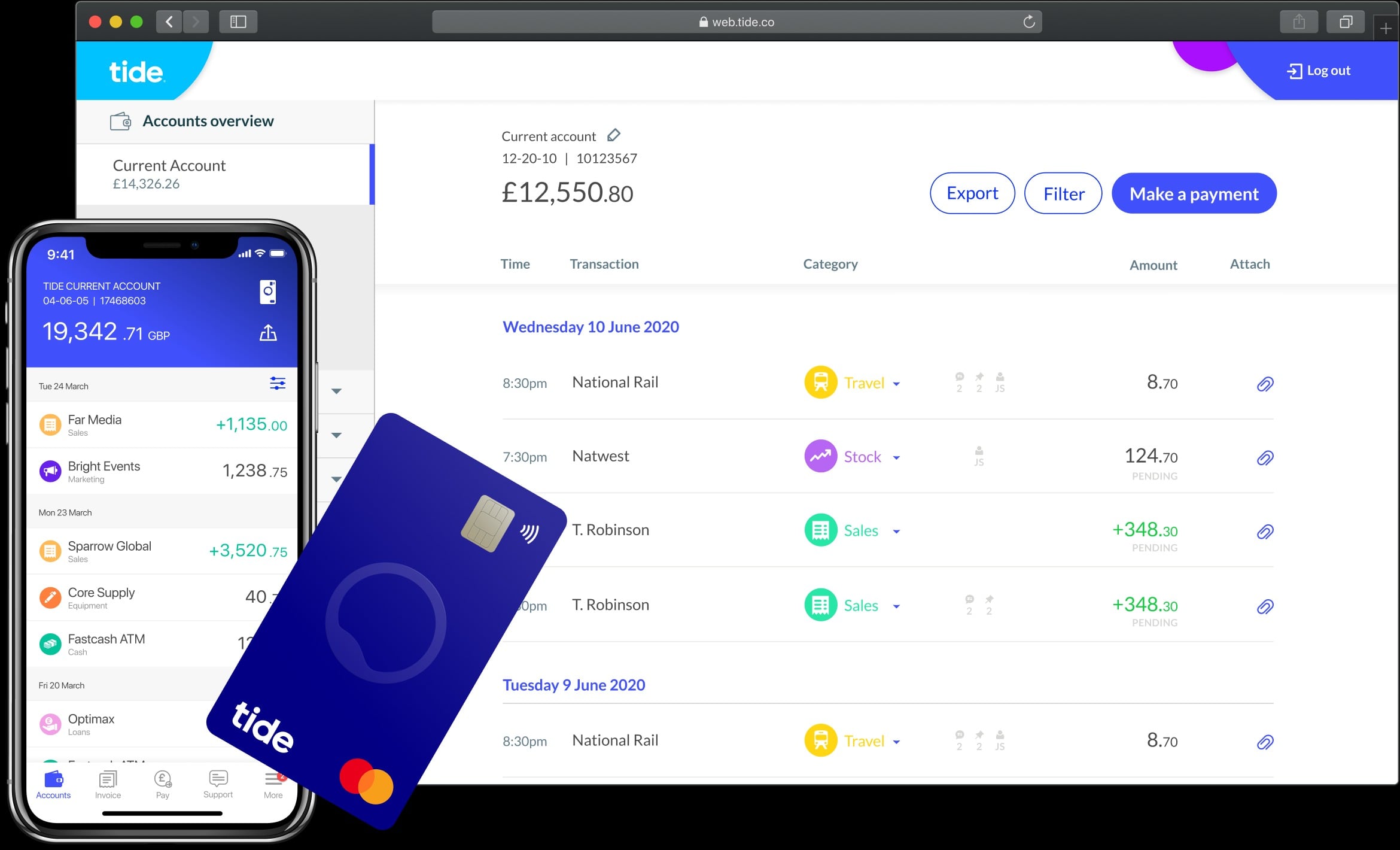
The Smart Plan from Tide stands out for being practical rather than flashy. It turns complicated financial tasks into simple ones. It makes invoicing feel less stressful, team spending more transparent, and cash flow far easier to track. For founders who want a digital account that supports growth without slowing progress, this plan earns its place in daily operations. It is banking shaped around real work, designed for owners who want to stay organised without becoming full time accountants.
FAQs
Can I manage everything from the mobile app
Yes, the mobile experience mirrors the desktop view closely, making daily banking quick to handle.
How do team cards work
You assign limits to each card and track spending instantly, which helps maintain tight financial control.
Does the plan help with late invoices
You can send reminders automatically, making it easier to get paid on time.
Is it suitable for freelancers
Very. It offers clean invoicing, expense tracking, and easy record keeping.
Does the account integrate with accounting tools
Yes, exporting records is simple and works smoothly with common bookkeeping systems.